Debugging
This documentation describes the steps to debug Development Server from tilt environment
Prerequisites
- Init tilt
- Trino README.md.
- Run Development Server in debug mode
Steps to pass requests to local Trino
- Change the URL in the trino gateway
- Click trino-gateway-ui and go to
Clustertab- Delete
trino-1→ no need for two Trino instances locally. - Replace ProxyUrl and ExternalUrl
http://trino-0:8080withhttp://host.docker.internal:8080
- Delete
- Click trino-gateway-ui and go to
- Disable trino-coordinator and trino-worker in tilt (When running locally, both services are included in the main service)
- You can also disable all scheduler services so you won’t have any extra noise while debugging
- Add
127.0.0.1 pgbouncertoetc/hosts- Explanation: During querying, we save the results (up to 2500 logs) in db for better performance in pagination and since we run the query from tilt cluster, we need to reslove the db endpoint.
Debug
- Add connector from UI and discover catalog
- Debug query in one of the options bellow
- Write KQL query (localhost/query) and click run
- Connect trino CLI
- Download and run
./trino localhost:8080 --user VegaSecurity_admin(must set tenant_user) - Run explain
<SQL>;- Generating SQL if needed: Run KQL query from UI and take the sql query from trino manager logs
- Download and run
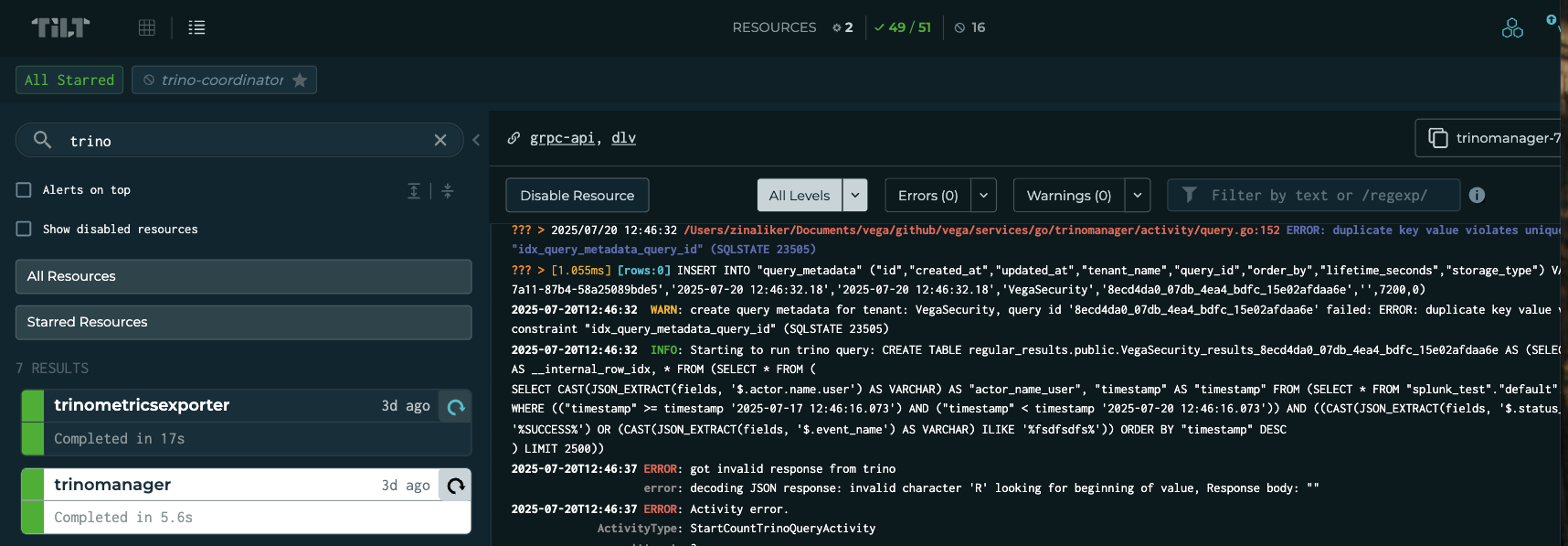
Notes
- Sometimes
Development serverraises uncommon errors. Most of the time rebuildingbuild-java-trinofrom tilt fixes them. - Running
Integration testslocally may cause issues due to combing local debugging and local (kind) k8s cluster. (mostly IP resolving)
Setup Development server to debug trino queries
To setup the Dev Server environment and start the module make sure its recognized in you project setting by Maven:
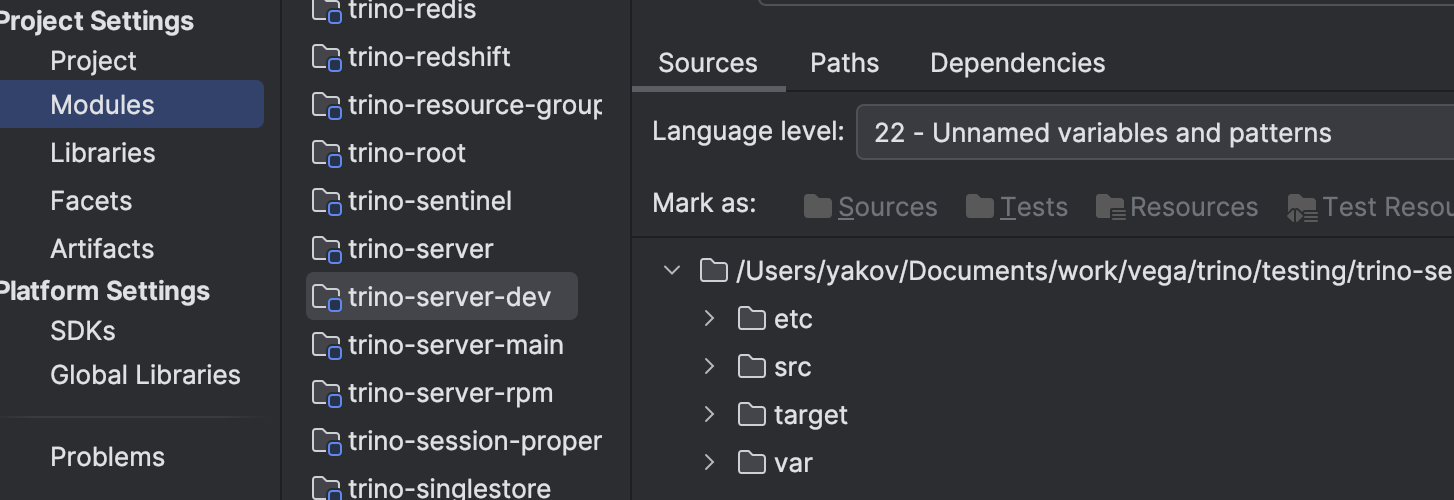
We would like to use Static Connector Manager so Trino will set the catalog from *.properties file.
To add connectors (for example Splunk connector) We first need to setup vega.properties in the modules catalog list: testing/trino-server-dev/etc/catalog.
For example:
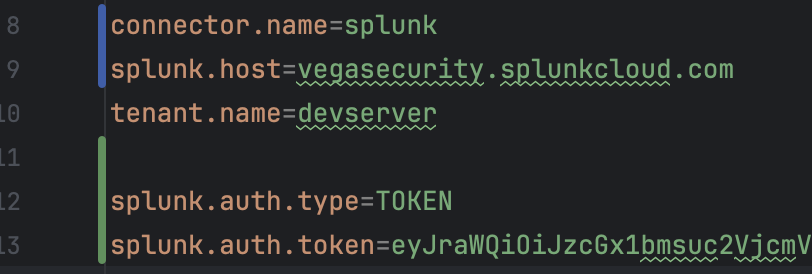
For more info on the fields refer to SplunkConfig.java and SplunkAuthTokenConfig.java for the TOKEN method relevant fields.
In addition to that we need also change our deployment configurations in config.properties
- Comment the line : catalog.store=grpc
- Change Catalog.management to static
- Also set vega.refresh_views.enabled to false
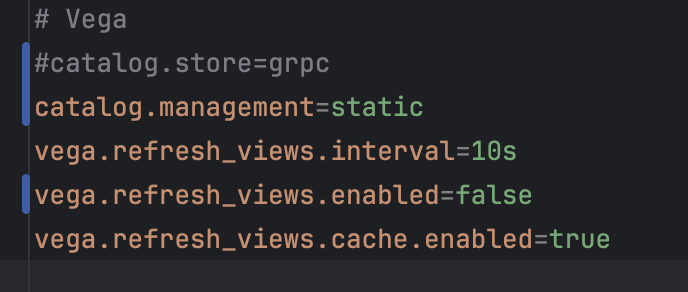
Then, we can Run&Debug the DevelopmentServer. Make sure your jdk is configured and DevelopmentServer Module was found and chosen:
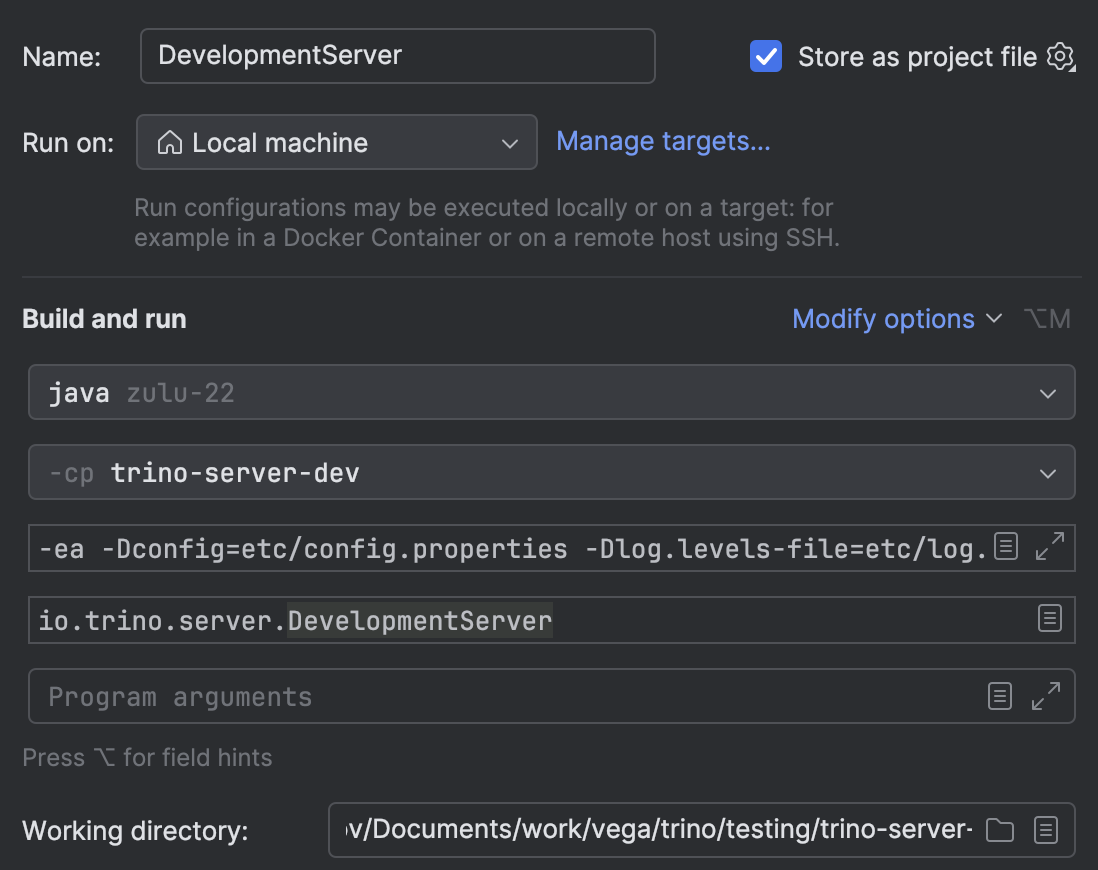
For more info refer to StaticCatalogManager.java.